
- Open a transcribed file and click One-click talking-head cut.
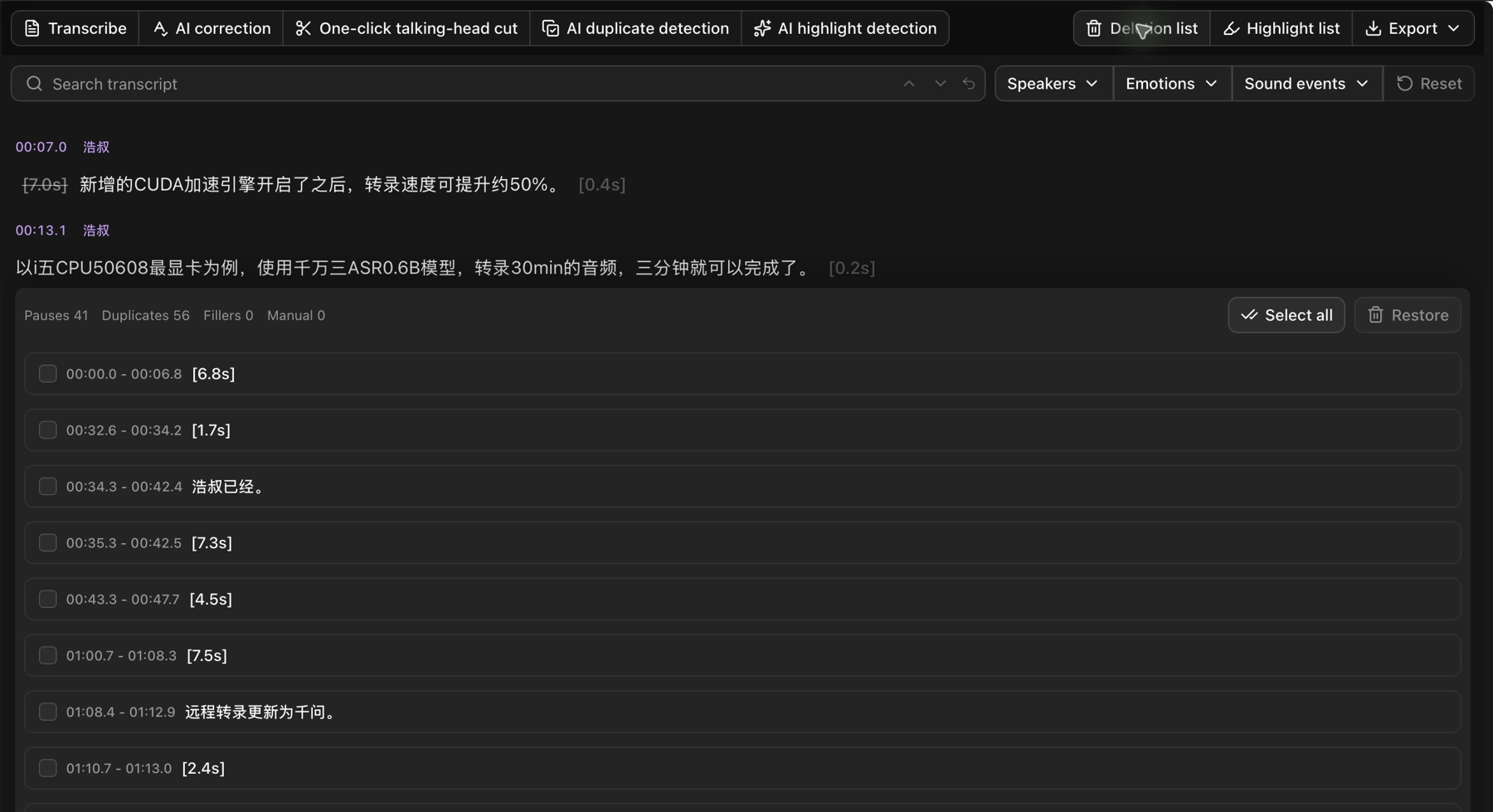
- When processing finishes, open Deletion list to review pauses, repeated speech, and filler words.

- Click a listed clip to listen. Select anything you want to keep and click Restore.
- To export the result, choose Export → Compose, then select Exclude deletion-marked clips.
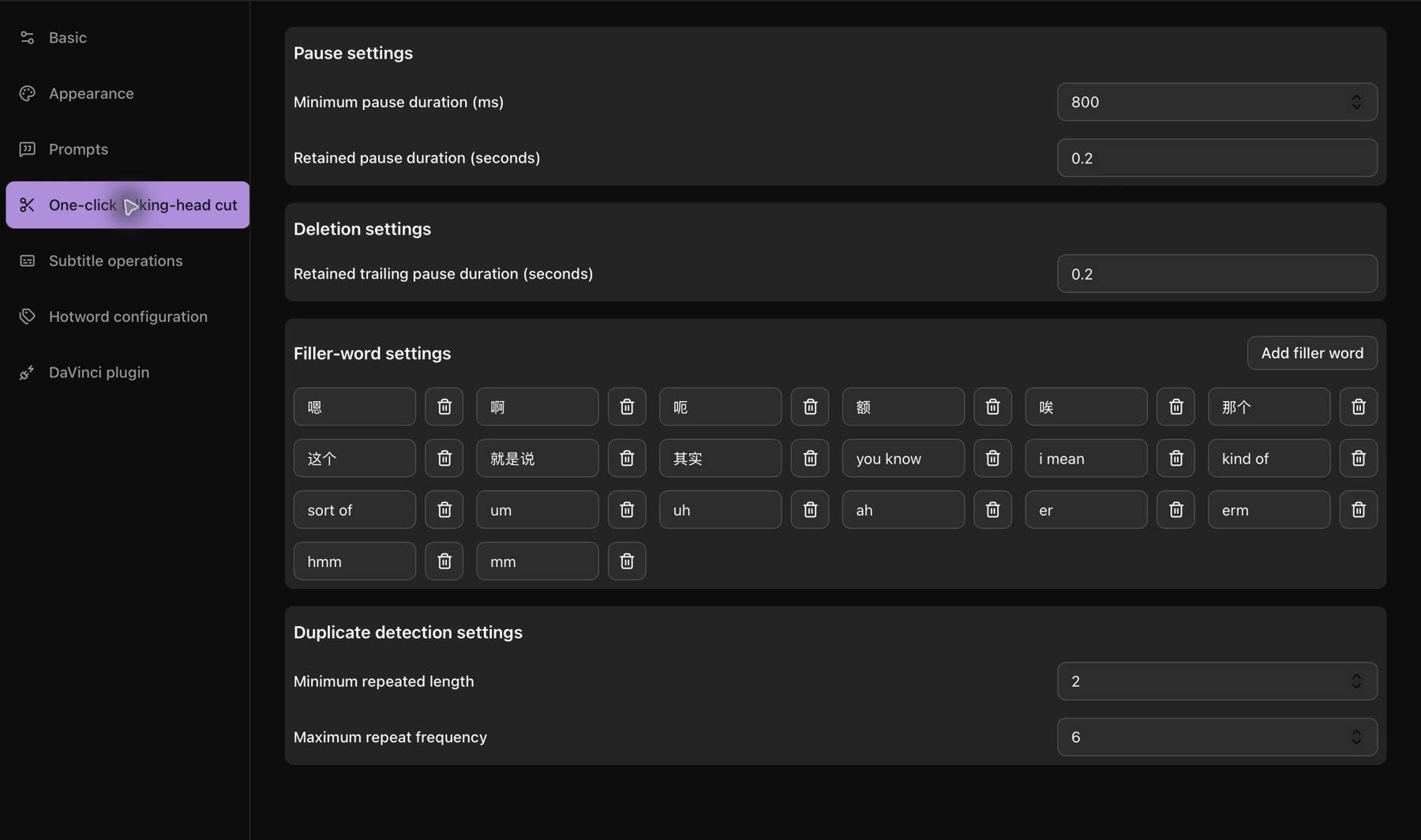
To adjust pause lengths or filler words, open Settings → One-click talking-head cut.
Strikethrough text and red waveform regions are deletion marks. They do not change the original media.
For repeated takes or repeated ideas, see AI duplicate detection.